Appearance
User Profiles and Activity
BookStack tracks user activity and provides profile pages that show each user's contributions to the knowledge base.
Viewing a User Profile
Click on any username throughout BookStack to view their profile page. You can also access your own profile through the user menu.
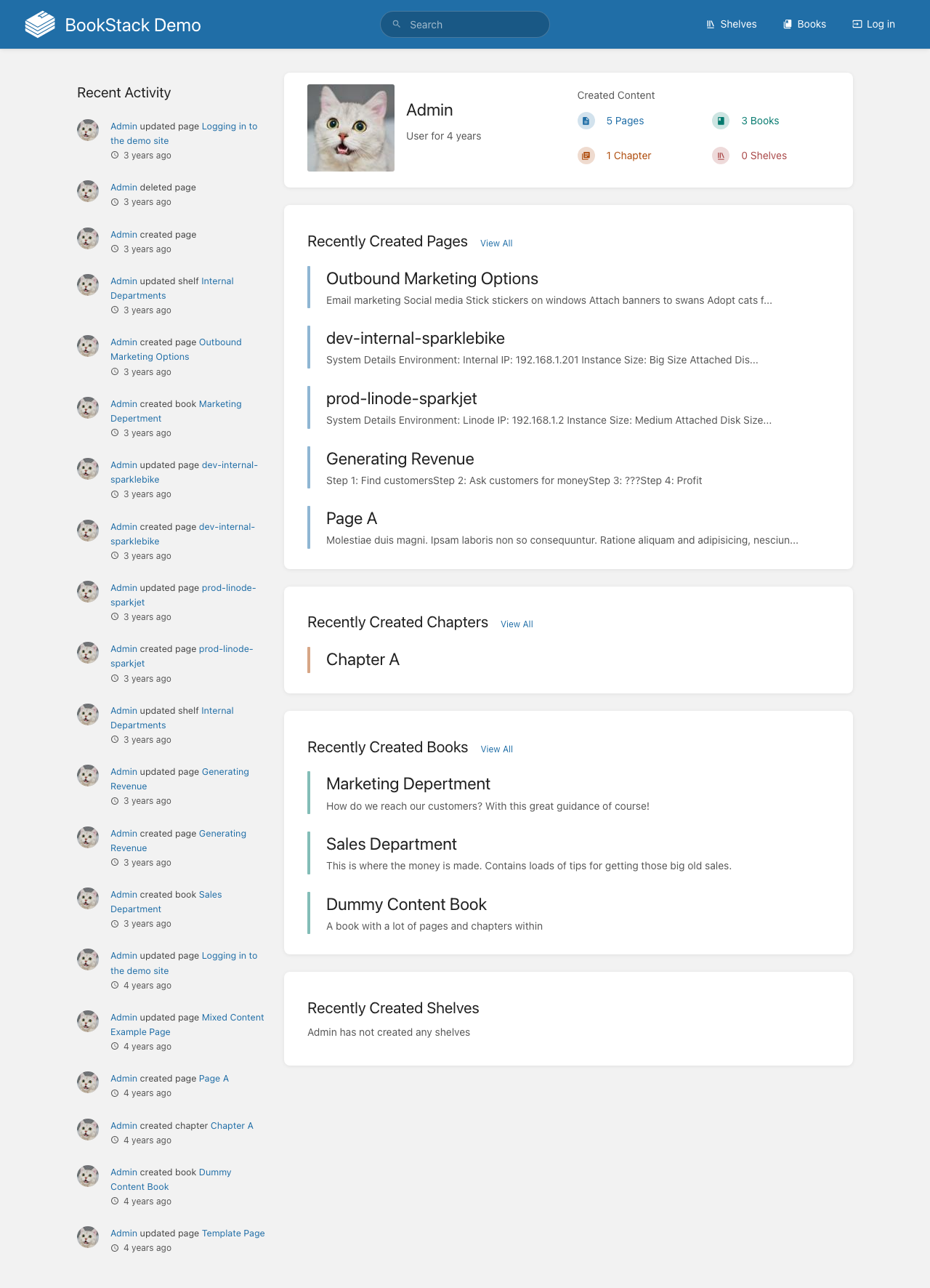
A user profile displays:
- User avatar and name — Profile picture and display name
- Recently created content — Pages and books the user has recently created
- Recently updated content — Pages and books the user has recently modified
- Activity timeline — A chronological list of the user's actions
Activity Tracking
BookStack records activity across the platform, including:
- Page creation, updates, and deletions
- Book and chapter creation and modifications
- Shelf management actions
- User login events
This activity data appears on the homepage dashboard, individual user profiles, and within the admin audit log.
Managing Your Account
To update your profile settings:
- Click your name or avatar in the top navigation
- Select Edit Profile from the dropdown
- Update your display name, email, or password
- Choose your preferred language and editor type
- Save your changes
Notifications
BookStack supports watch notifications for content you want to track:
- Watch a page to receive notifications when it's updated
- Watch a book to get alerts about any changes within it
- Watch a chapter for updates to pages in that chapter
Notification preferences can be configured in your account settings to control how and when you receive alerts about watched content.